Final Screen checkbox
Standard Package only. Add a checkbox to the Final Screen letting the user decide whether to launch the specified file. Set the caption with the “Task Description” field. For more complex logic, use custom actions.
This page configures what happens after files are extracted: launch an application, open a document, or run an existing setup routine. The available options depend on the package type.
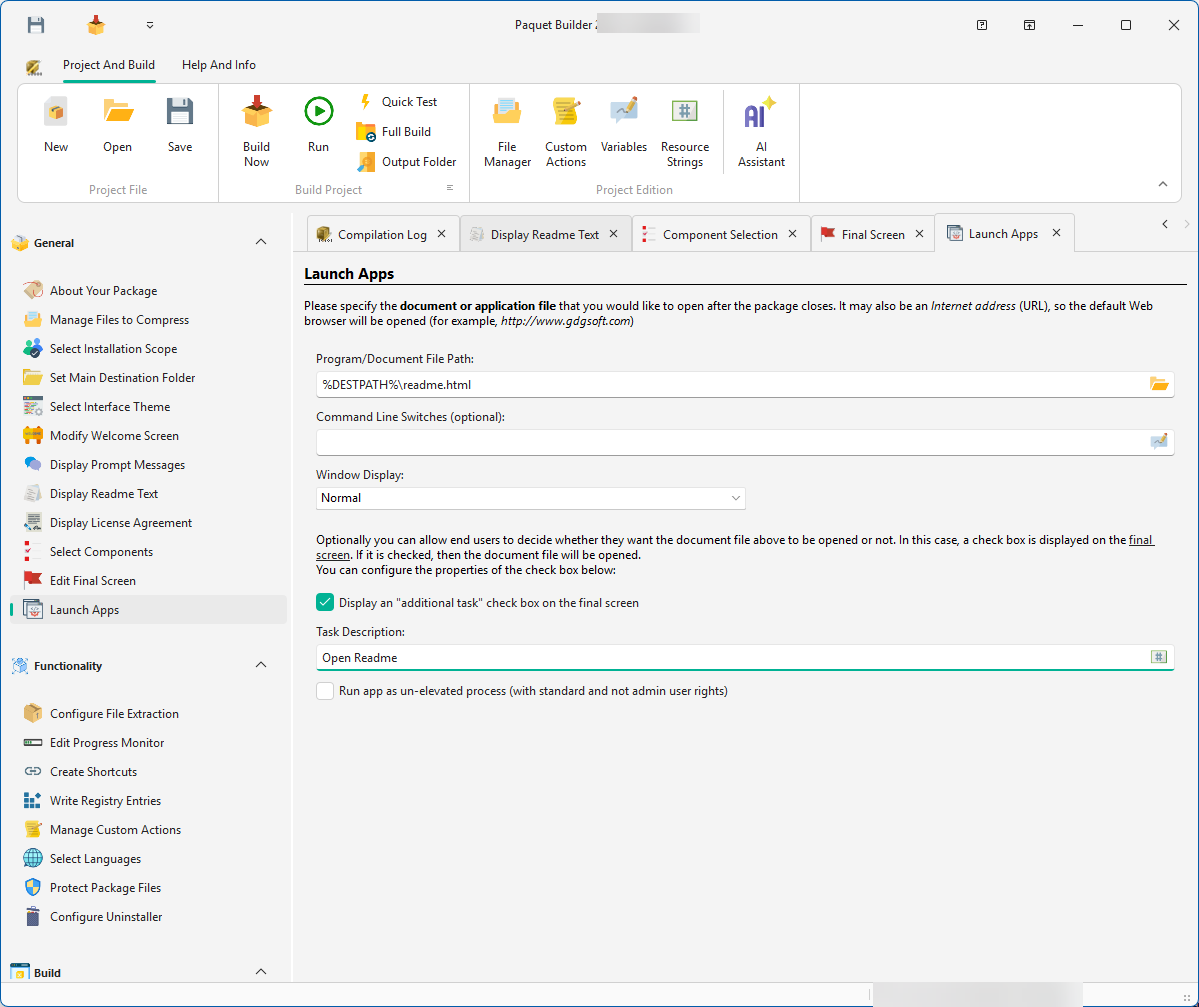
Specify a document or executable to open after the package closes (optional).
Enter the full path in the Program/Document Filename field. Examples:
| Value | Result |
|---|---|
%DESTPATH%\Readme.txt | Opens the extracted readme in the default text editor |
%DESTPATH%\MyApp.exe | Launches the extracted application |
https://www.mycompany.com | Opens the URL in the default browser |
Specify the setup launcher, the executable that runs your existing installation program.
The package extracts files to a temporary folder, launches the setup, waits for it to finish, then removes the temporary files.
To run a Microsoft Windows Installer package (MSI) or patch (MSP), enable the “Install a Windows Installer package” option. See installing MSI packages.
Final Screen checkbox
Standard Package only. Add a checkbox to the Final Screen letting the user decide whether to launch the specified file. Set the caption with the “Task Description” field. For more complex logic, use custom actions.
Run as un-elevated
Standard Package only. If the package runs with admin rights, the launched program inherits those rights. Enable this option to run it with standard user privileges instead.
Command-line switches
Pass parameters to the executed file. Variables referencing system or shell folders are supported. To run a wrapped setup silently, pass its own silent switch here (for example /S for an NSIS setup or /VERYSILENT /SUPPRESSMSGBOXES for Inno Setup): see the common silent switches.
Fixed temporary folder
Setup Routine only. Some setups (e.g. MSI) require files to stay in the same location. Enter a unique name (e.g. MyCompanySetupFiles) to always use the same temporary folder.
Setup Routine only. Enable this if the setup routine requires a reboot (e.g. for replacing files in use):