New in 2026
Describe your installer.
The AI builds it.
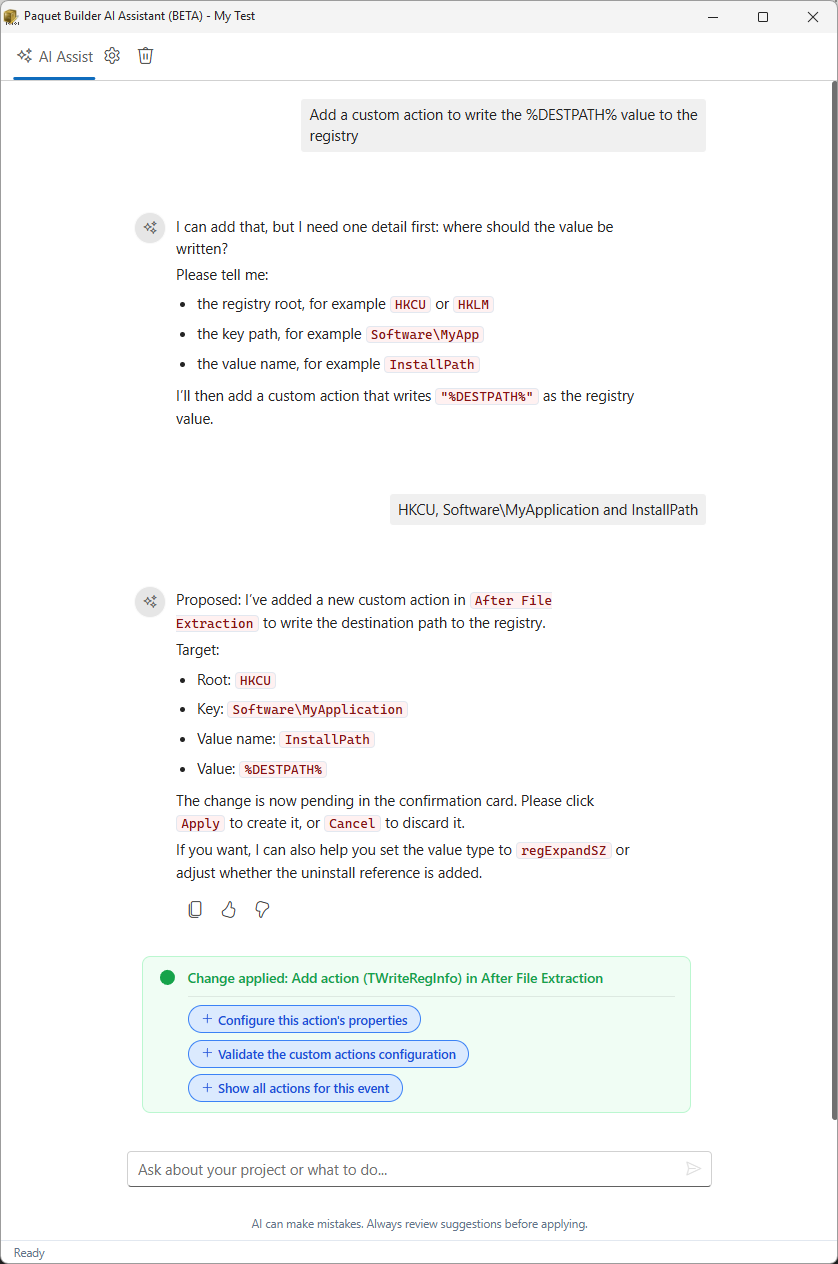
Type what your software needs in your own language. The built-in assistant proposes every change as a reviewable card: settings, files, shortcuts, registry entries, custom actions. Accept, reject, or refine. You stay in control.
Demo video coming soon
AI Assistant
Three steps. Zero page-hopping.
Traditional installer IDEs make you navigate dozens of panels. The AI assistant collapses the whole workflow into a conversation.
-
Describe
Tell the assistant what your installer needs: "Add a desktop shortcut that launches MyApp.exe with admin privileges" or "Set up registry entries for file association with .proj files."
Works in any language
-
Review
The AI produces action cards: structured proposals showing exactly what will change in your project. Each card details the setting, the value, and why. No black-box magic.
Accept, reject, or ask to revise
-
Apply
Accepted cards are applied instantly to your project. The assistant then suggests related follow-up tasks, so you can keep going without remembering what's next.
Follow-up suggestions built in
Beyond generation
It reads your project,
not just your prompts
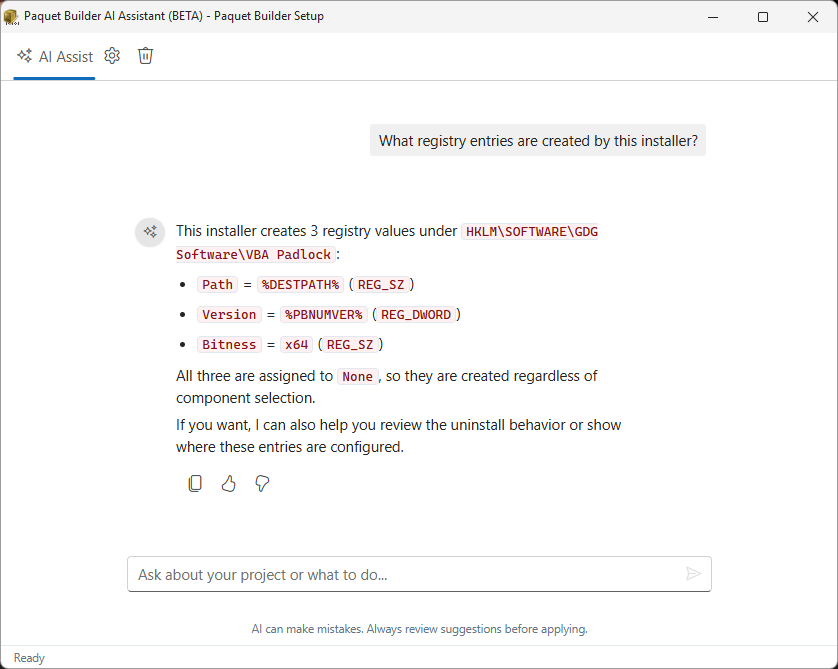
The assistant sees your current settings, active page, and project state. Ask it to audit your configuration, flag missing entries, or recommend best practices. It answers with your actual project data, not generic advice.
- Context-aware answers
- Reads your project state to detect missing settings and potential issues.
- Documentation search
- Searches official Paquet Builder docs to give you accurate, sourced answers.
- Best-practice guidance
- Recommends proven patterns for installer design based on your target platform.
Your AI, your rules
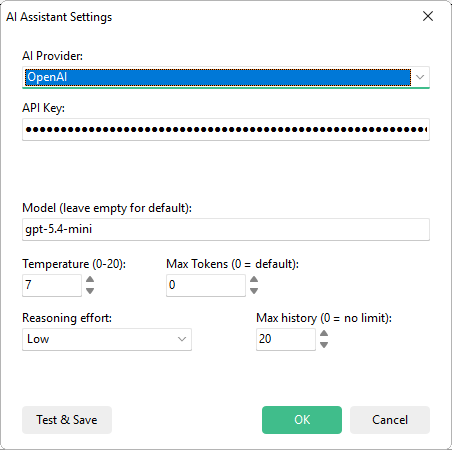
Pick any model.
Switch anytime.
Six cloud providers and three local options. Use the latest frontier model for complex tasks, or run everything locally for air-gapped environments.
Air-gapped? Run it locally.
Ollama, LM Studio, and llama.cpp are supported out of the box. Your project data never leaves your machine.
What used to take 15 clicks now takes one sentence
Without AI
- Open the Custom Actions page
- Create a new registry action
- Set root key, subkey path, value name
- Configure value type and data
- Set conditions and install mode
With AI Assistant
"Add a registry entry under HKCU\Software\MyApp to store the install path, and set a file association for .proj files."
The AI creates both entries with correct root keys, value types, and conditions, then suggests a follow-up to add an uninstall cleanup action.
Keep Touring
Move through the feature set without jumping back to the grid
Use the pager to continue the product tour, or jump back to the full overview at any point.
You are on the first feature page in the guided sequence.
Overview
See all features
Setup Installers
Full control over installer behavior including shortcuts, registry entries, custom actions, and component-based installations.
Stop configuring. Start describing.
Download Paquet Builder 2026 and build your first installer through a conversation.