Multilanguage
One installer.
Every language.
Ship a single .exe that speaks your users' language. Paquet Builder compiles multiple languages into one installer with full Unicode support and automatic locale detection.
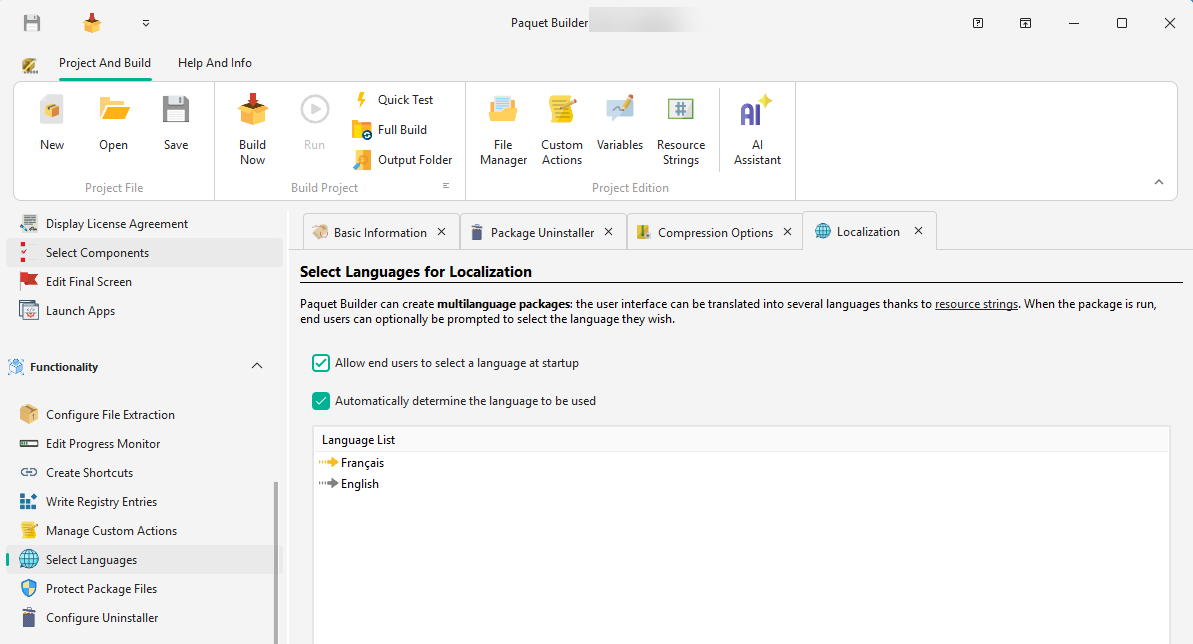
Multilanguage
Built-in coverage
Eleven languages
ready on install.
Each one ships as an editable .pbr file, translated, tested, and ready to drop into your project. Customize any of them, or add your own.
- English
- Français
- Deutsch
- Español
- Italiano
- Português
- Nederlands
- Svenska
- Polski
- Čeština
- Русский
Need Japanese, Arabic, or Simplified Chinese? Full Unicode support means any locale (including RTL scripts) can be added as a custom language.
Every word
is yours to rewrite.
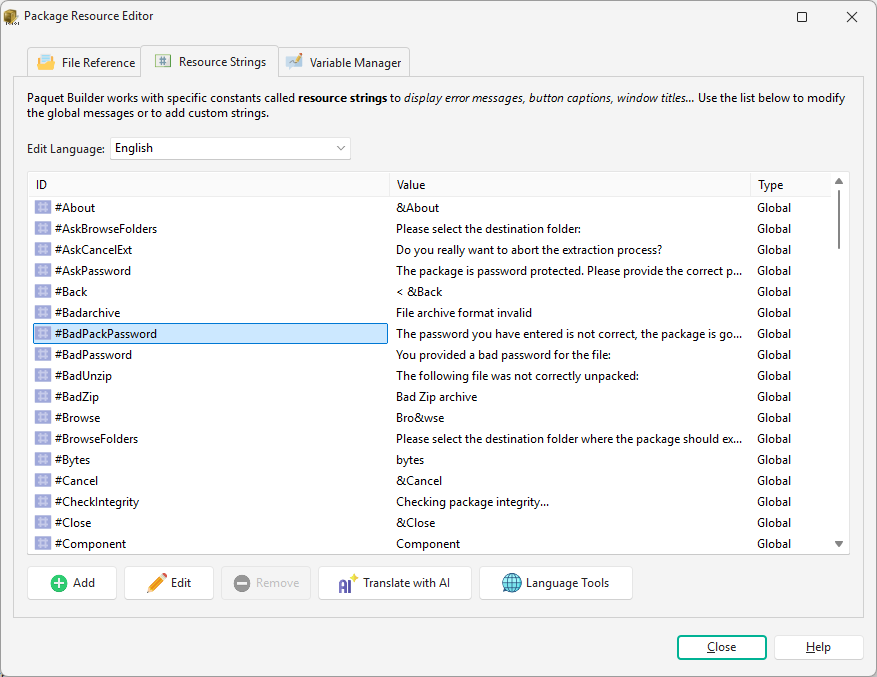
Resource strings are the text labels, dialogs, and button captions your users see. They live in editable .pbr files. Import them, hand them to translators, import the results back.
- Every visible string
- Error messages, warnings, welcome screens, button captions. If a user can read it, you can rewrite it.
- Built for translator handoff
- Export
.pbrfiles, let translators work in their own tools, import the results. No lock-in, no proprietary workflow. - Custom strings of your own
- Add resource strings to drive custom actions, license prompts, and installer logic, localized like everything else.
Runtime experience
Users choose.
Or you choose for them.
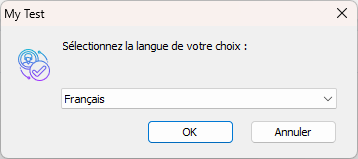
Show a language picker at startup, match the system locale silently, or force a language from the command line. Your users see their language from the first screen.
- Runtime picker, silent LCID matching, or both combined
- Full Unicode support: CJK, Cyrillic, and RTL scripts (Arabic, Hebrew)
- Force a language at launch with
/LANG 1036
Automatic locale detection
The installer reads the Windows LCID and picks the matching language silently, with no user interaction or configuration.
Keep Touring
Move through the feature set without jumping back to the grid
Use the pager to continue the product tour, or jump back to the full overview at any point.
Code Signing
Sign your installers with PFX, SignTool, JSign, or Azure Artifact Signing. SHA-256 dual signing and hardware token support.
Overview
See all features
Batch Build & Automation
Automate your builds with silent installers, command-line compilation, and seamless CI/CD pipeline integration.
Go global with a single build.
Eleven translations ship with every download. No localization work required on day one.