Create a project
Choose a package type, define the package identity, and save a reusable project file. Open project creation ->
Use this documentation both as a guided manual and as a context-sensitive reference. When you press F1 inside Paquet Builder, the application opens the matching topic directly.
Create a project
Choose a package type, define the package identity, and save a reusable project file. Open project creation ->
Add files and screens
Set the destination folder, organize your files, and design the user-facing package screens. Open the quick tutorial ->
Add advanced behavior
Use custom actions, variables, registry operations, and runtime conditions without writing scripts. Browse custom actions ->
Automate the output
Compile from the command line, run directive files, or control projects through AI workflows. Open automation topics ->
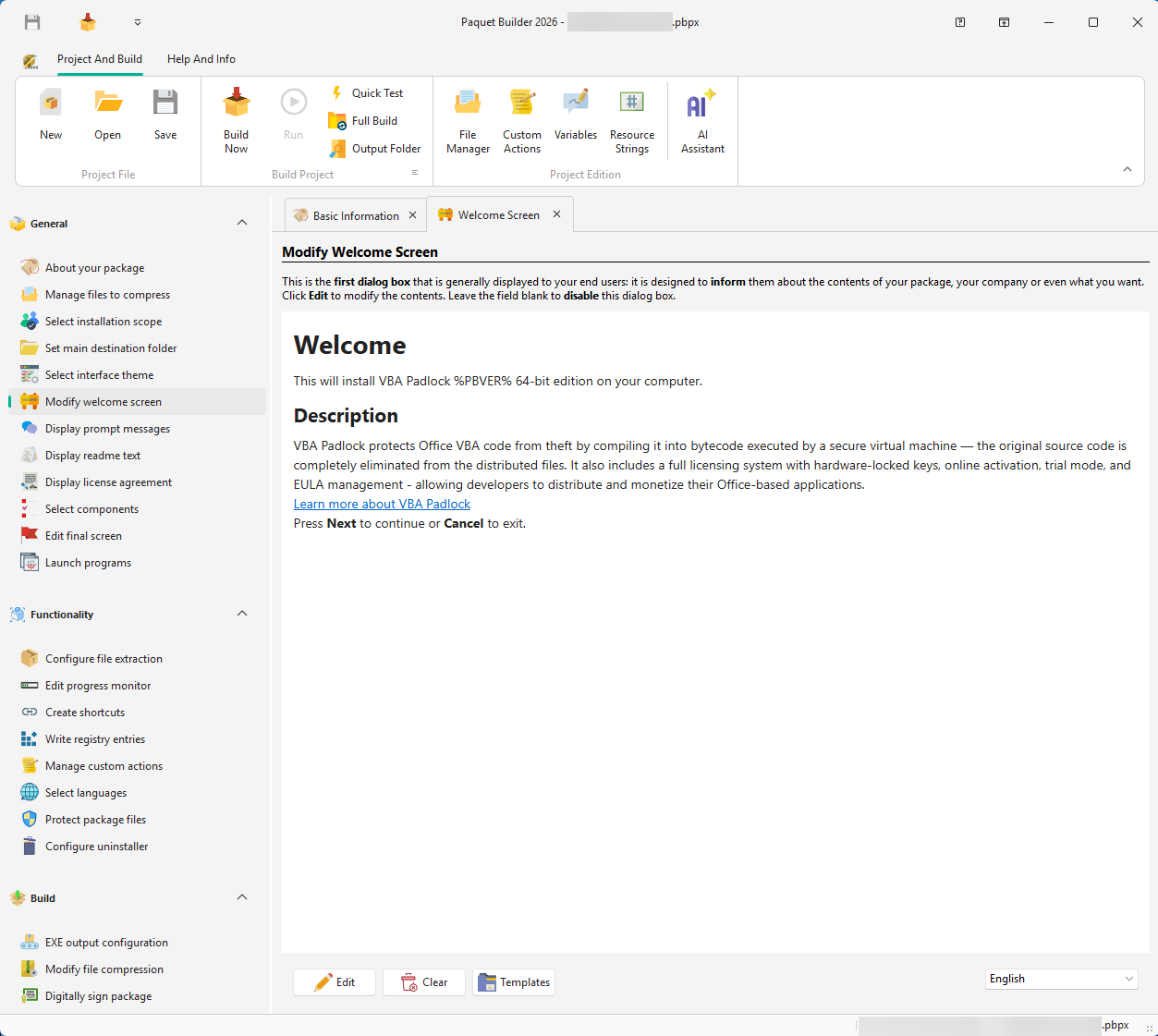
Self-extracting archives
Package documents, media, binaries, or mixed content into compact, distributable .exe files.
Software installers
Build setup flows with destination folders, welcome screens, readme pages, shortcuts, uninstallers, and post-install actions.
Updates and maintenance
Ship patches, layered setups, MSI wrappers, and controlled cleanup actions for existing installations.
Automated build workflows
Reuse projects in CI/CD pipelines, command-line builds, directive files, and AI-assisted configuration flows.
Start with the Introduction if you want the big picture. If you prefer learning by doing, jump straight to Getting Started and then follow Create a Simple Package.