Explorer Extension
Right-click. Build.
That's it.
Create self-extracting 7z EXE archives directly from the Windows Explorer context menu. Select files, right-click, build.
Explorer Extension
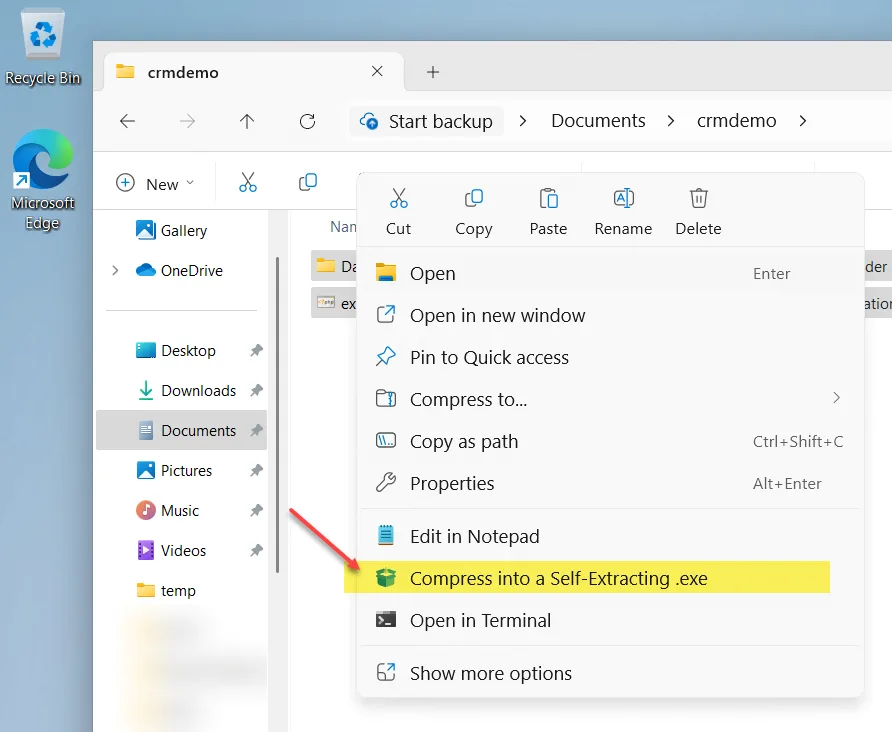
Context Menu Integration
Three Steps to a Self-Extracting Archive
No setup, no configuration files. The shell extension adds SFX actions directly to your right-click menu.
Select
Select files, folders, or an existing .7z archive in Windows Explorer.
Configure
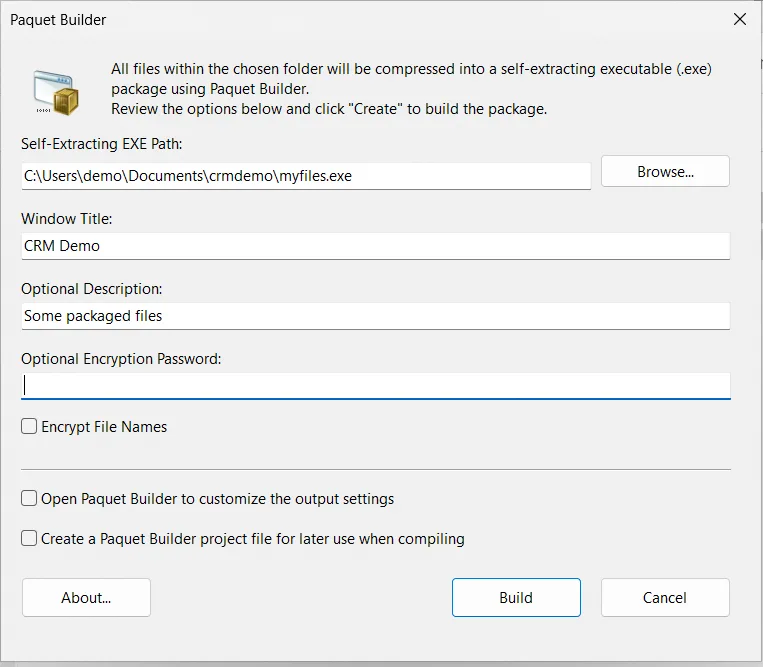
Right-click and choose the SFX action. Set the window title, description, and output path.
Build
Click "Build" and your compressed self-extracting .exe is ready. Optional encryption available.
Silent Builds
Build in the Background, Deliver Anywhere
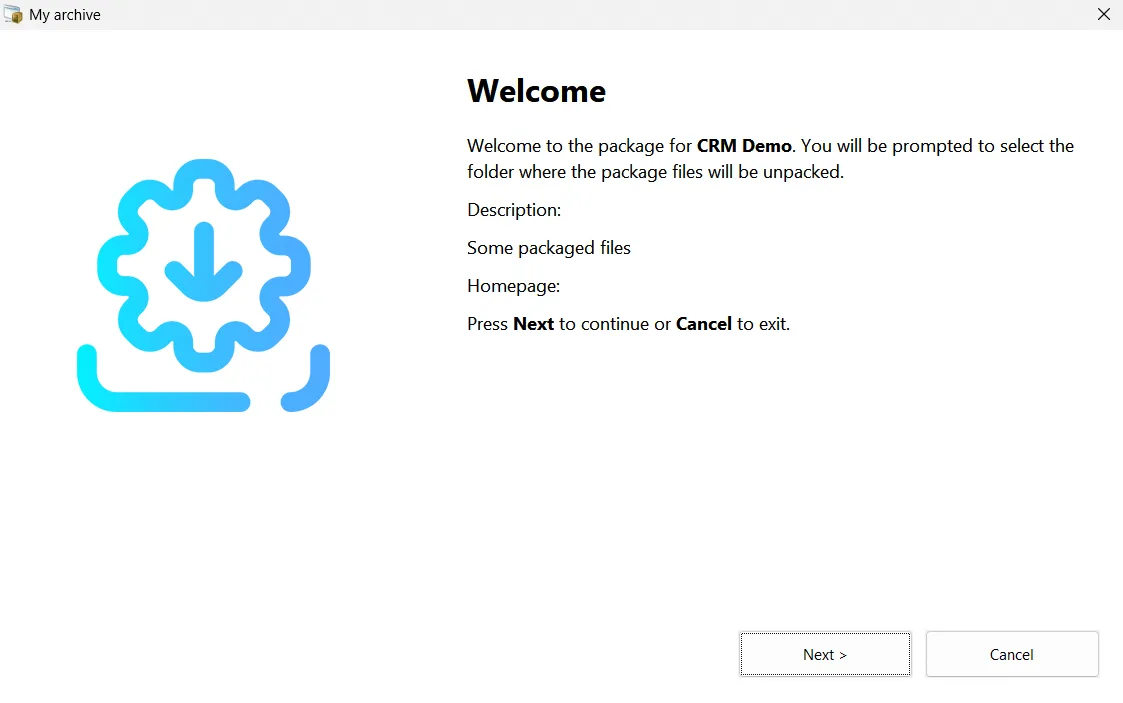
Click "Build" and Paquet Builder runs silently. The resulting .exe presents a clean extraction wizard. No 7-Zip required on the recipient's machine.
- Background Compilation
- Paquet Builder compiles silently, with no window and no interruption to your workflow.
- Custom Branding
- Set the archive's Window Title and Description so recipients see your branding.
- Zero Dependencies
- Recipients don't need 7-Zip or any other tool. The .exe extracts on its own.
Advanced Options
Start Quick, Refine Later
Need more control? The extension offers advanced options to open Paquet Builder for full customization or to save a project file for later editing.
- Open Paquet Builder to fine-tune output settings before building
- Generate a .pbpx project file for later reuse
- Paquet Builder handles compression and SFX creation under the hood
Quick start workflow: Right-click to create a quick SFX, then open the generated project in Paquet Builder to add custom actions, dialogs, and code signing before your final build.
Get the Extension
Download the Shell Extension
Make sure to select the correct version for your Windows system. The extension is compatible with all recent versions of Windows.
Size: 3.45 MB (64-bit) or 2.66 MB (32-bit) • Version: 2025.1
File digitally signed with Microsoft Authenticode (publisher: G.D.G. Software SAS)
Keep Touring
Move through the feature set without jumping back to the grid
Use the pager to continue the product tour, or jump back to the full overview at any point.
Design Packages
Create self-extracting archives and themed packages with advanced compression. Build x86, x64, and ARM64 packages.
Overview
See all features
This is the last feature page in the guided sequence.
Self-Extracting Archives, One Right-Click Away
Download Paquet Builder and install the shell extension to create SFX archives directly from the Windows Explorer context menu.