Code Signing
Sign every build.
Ship with trust.
Sign your installers with PFX certificates, SignTool, JSign, or Azure Artifact Signing. SHA-256 dual signing, hardware tokens, and cloud KMS, all configured from the IDE.
Code Signing
Cloud-native signing
Azure Artifact Signing
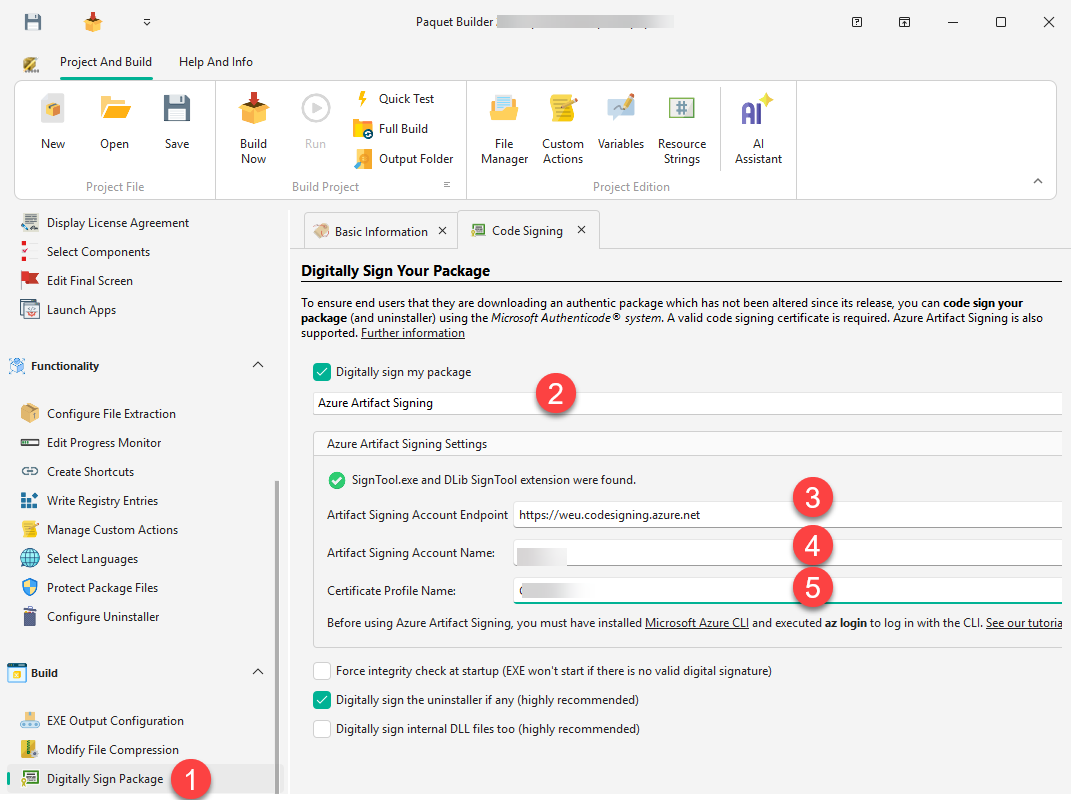
Paquet Builder integrates with Microsoft Azure Artifact Signing, the cloud-based code signing service. Enter your Azure endpoint, account name, and certificate profile, authenticate with Azure CLI, and every build is automatically signed.
- No physical tokens
- Your signing key never leaves Azure. No USB dongles to manage or lose.
- Enterprise-grade security
- Azure-managed keys with role-based access control and audit logging.
- Automatic on every build
- Configure once, sign every compile. Works with the console compiler for CI/CD pipelines.
Requires the Artifact Signing Client Tools and Azure CLI.
Maximum compatibility
SHA-256 Dual Signing
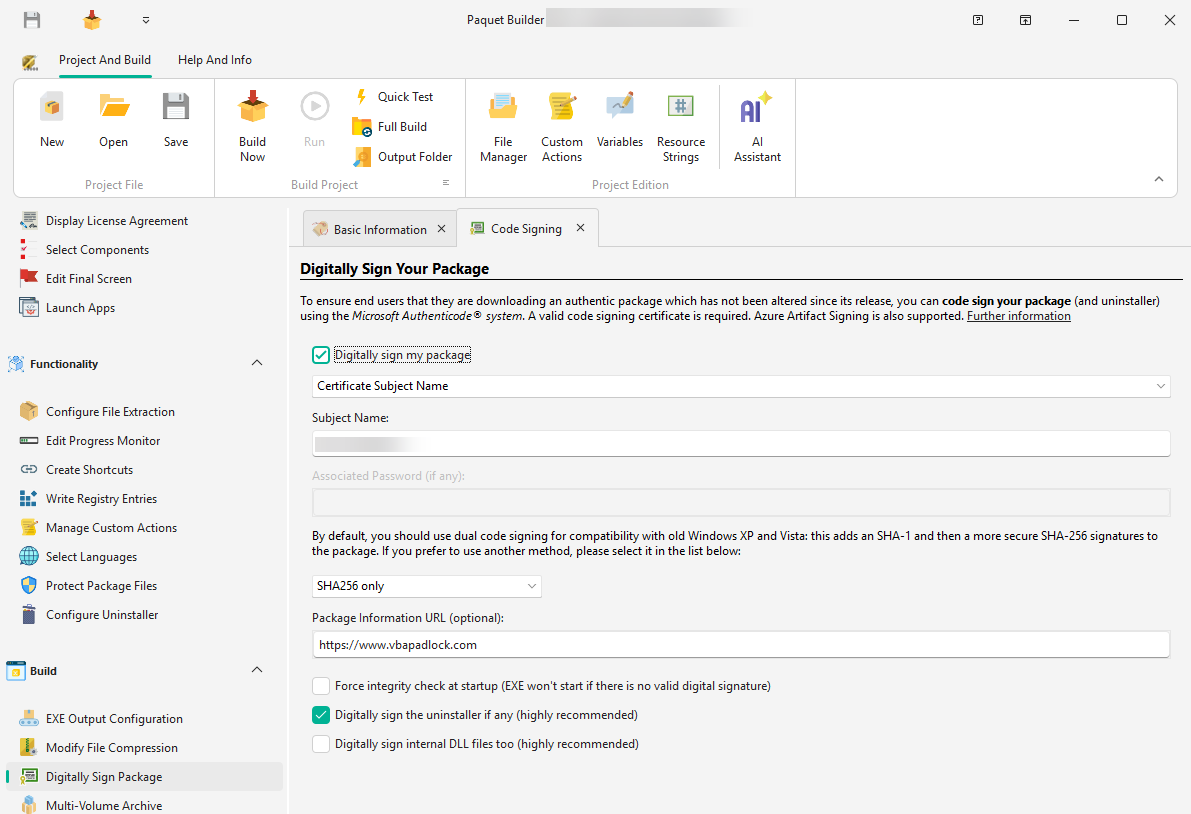
Maximize compatibility by applying both SHA-1 and SHA-256 signatures to your installer. Older Windows versions verify the SHA-1 signature while modern systems use SHA-256. Paquet Builder supports dual signing through its built-in GSignCode utility or via SignTool commands.
SHA-1 Signature
Ensures your installer is recognized and trusted on older Windows versions that do not support SHA-256 verification.
SHA-256 Signature
The modern standard. Reduces SmartScreen warnings and builds trust with security-conscious users and enterprise environments.
Flexible signing tools
Traditional Certificates
and More
Already using a traditional code signing certificate from providers like DigiCert or Sectigo? Paquet Builder supports PFX files, Windows Certificate Store, and hardware token-based certificates through multiple signing tools.
Cloud KMS support via JSign
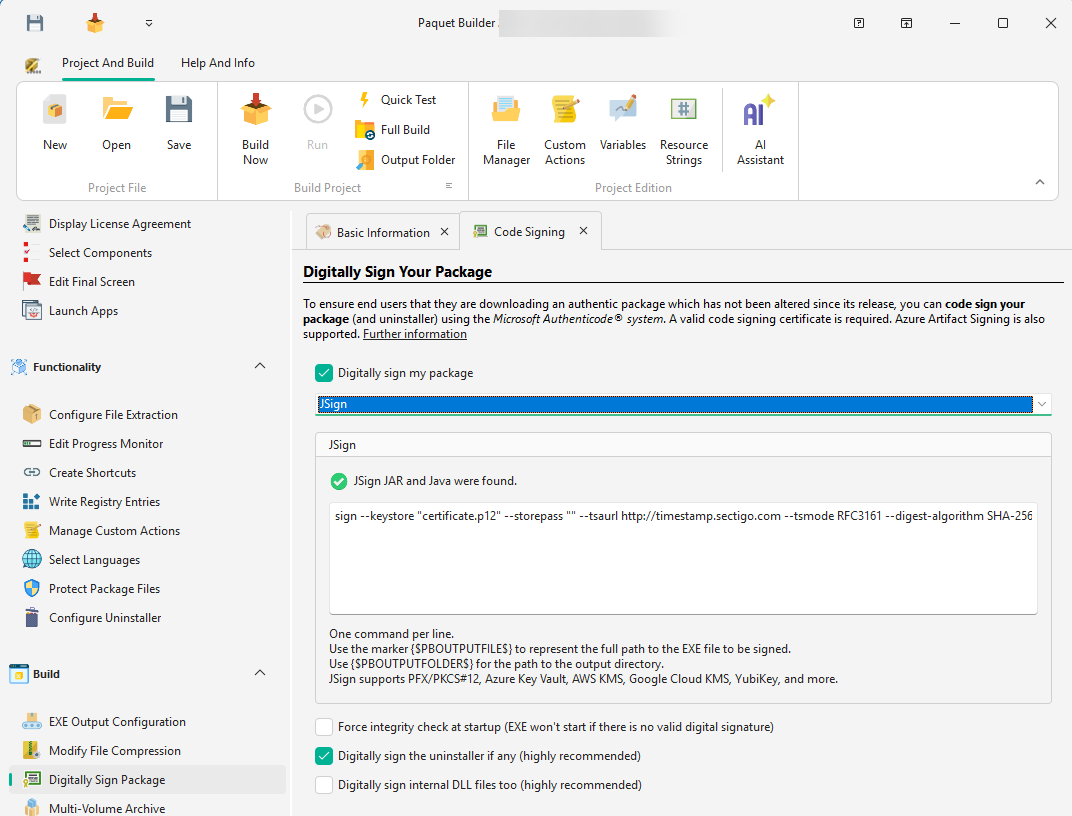
Azure Key Vault, AWS KMS, and Google Cloud KMS are supported through the open-source JSign tool. Configurable timestamp server for long-term signature validity.
Keep Touring
Move through the feature set without jumping back to the grid
Use the pager to continue the product tour, or jump back to the full overview at any point.
Protect Installers
Secure your installers with password protection, CRC integrity checks, and digital code signing.
Overview
See all features
Multilanguage
Ship installers that speak your users' language. 11 built-in languages with full Unicode support and automatic locale detection.
Sign Your Installers with Confidence
Download Paquet Builder and set up code signing in minutes: Azure, PFX, or hardware tokens.