Ask User for a Choice (Dropdown)
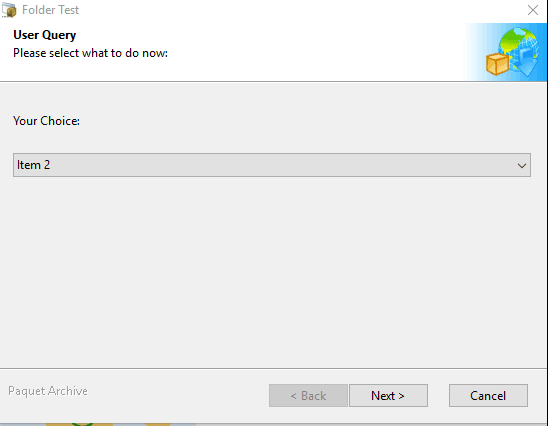
Displays a dialog box that lets you ask end users to select one value from a list of pre-defined items (drop-down list). For instance, you could ask for a country or a language. You can use the result of the question for a conditional if/then/else action.
Properties
Section titled “Properties”| Property Name | Data Type | Description |
|---|---|---|
| Caption | String | The title that appears on the dialog box or in the wizard’s instruction panel. |
| PromptText | String | The text that appears in the title of the question window and asks end users. |
| LabelText | String | This text will be displayed near the dropdown. |
| ComboItems | String | Defines the list of values to be displayed in the dropdown. (See syntax rules below). |
| DefaultAnswer | String | Allows you to define which value in the list will be selected by default. If left empty, no value will be selected. |
| Variable | VarName | The variable that will store the result of the choice, e.g. %MYCHOICE%. |
Syntax Rules for ComboItems
Section titled “Syntax Rules for ComboItems”Values are separated by spaces. If a value contains spaces, enclose it in double quotes. Variables and resource strings are allowed.
Example:
"Item 1" "Item 2" #MyChoice1 will insert 3 items in the dropdown: Item 1, Item 2, and the text associated with the #MyChoice1 resource string.
Action Catalog Browse all available custom actions.