Wizard Header Image
Custom image displayed on the left side of pages such as the Welcome Screen. Leave blank for the default image.
Size: 330 x 460 pixels, Format: PNG or BMP (PNG 8-bit recommended)
Paquet Builder offers three interface themes that control the look and feel of the installer dialogs seen by end users. Each theme provides a different navigation style and level of visual customization.
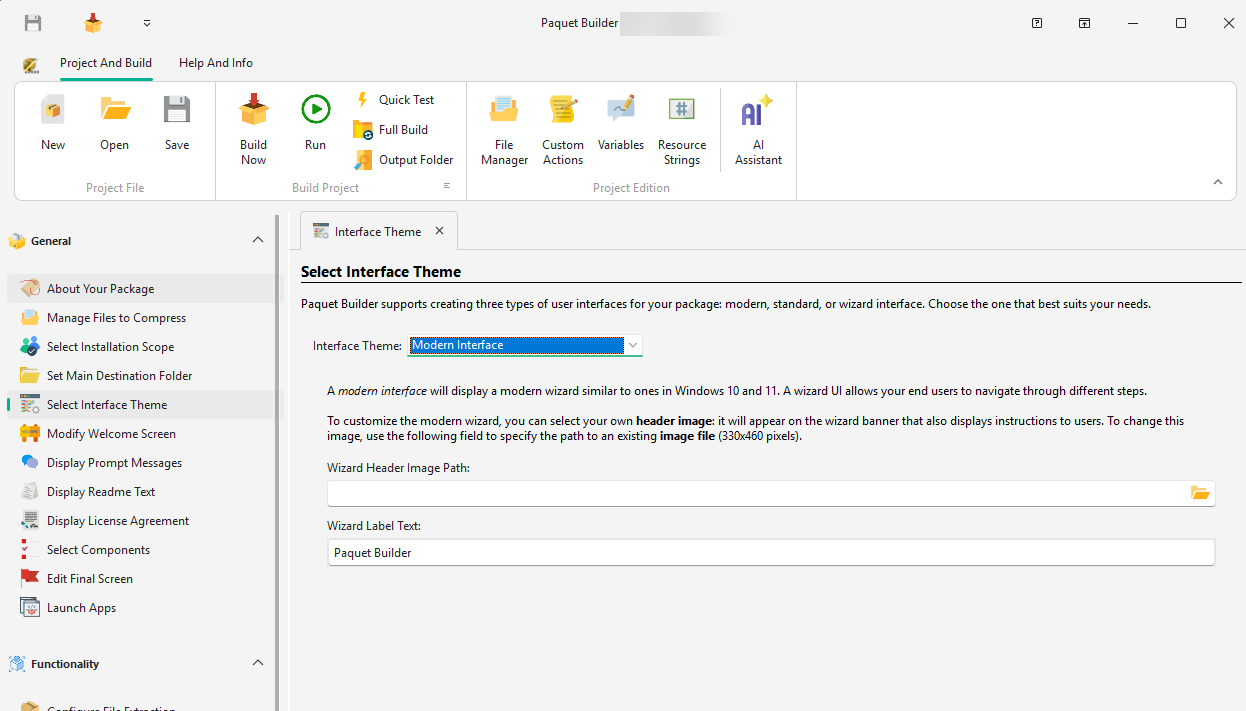
The Modern interface displays a wizard-style UI similar to Windows 10 and 11. It provides an intuitive, step-by-step navigation with a clean, contemporary look.
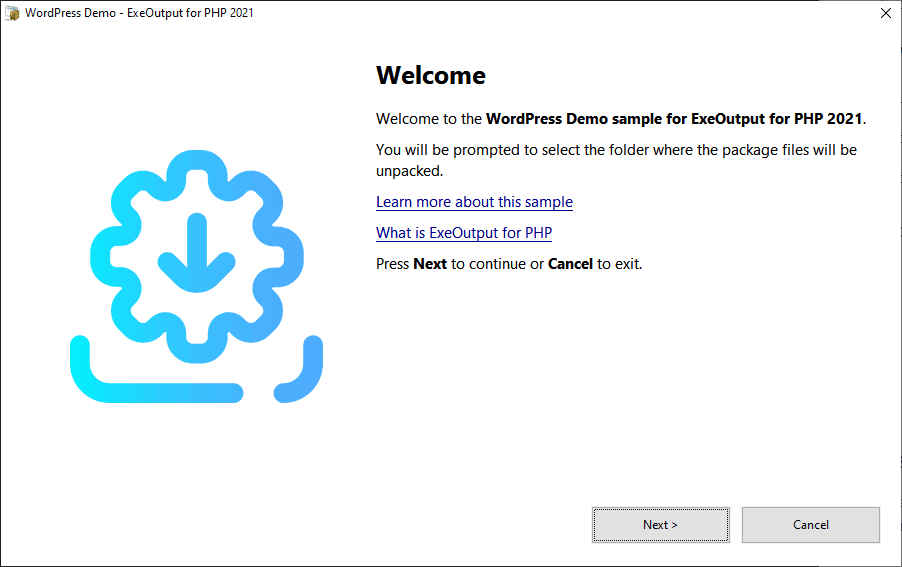
Wizard Header Image
Custom image displayed on the left side of pages such as the Welcome Screen. Leave blank for the default image.
Size: 330 x 460 pixels, Format: PNG or BMP (PNG 8-bit recommended)
Wizard Label Text
Text displayed near the navigation buttons, typically your company name or website domain.
The Wizard interface is a classic style with Next / Back navigation buttons, similar to wizards found in Windows 8, 7, and XP. Efficient and familiar for end users.
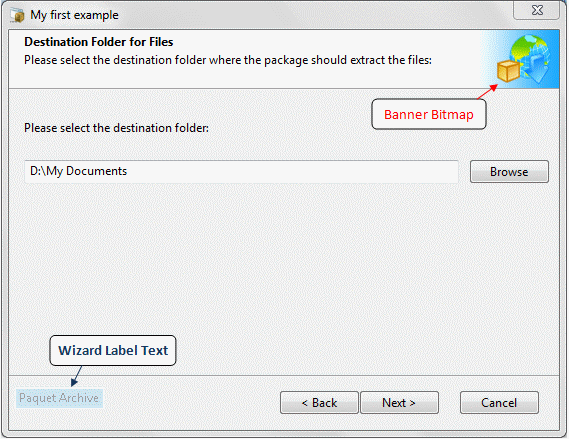
Header Image
Shown in the white banner where user instructions appear. Leave blank for the default, or enable “Generate a header image automatically from the package icon” to extract the best icon size (48x48 or 32x32).
Size: 90 x 58 pixels, Format: PNG or BMP (PNG 8-bit recommended, white background)
Watermark Image
Custom image for the left side of the wizard, similar to classic Windows setup wizards.
Size: 175 x 345 pixels, Format: PNG or BMP (PNG 8-bit recommended)
Wizard Label Text
Text near the navigation buttons, such as your company name or website domain.
The Standard (traditional) interface presents a sequence of simple dialog boxes. Users move forward by clicking OK but cannot return to a previous dialog.
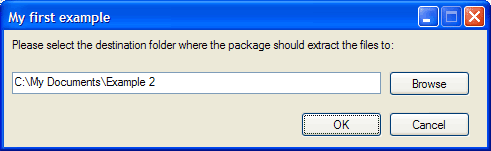
Less flexible than Modern or Wizard, but sufficient for simple packages where a full wizard is unnecessary.
| Feature | Modern | Wizard | Standard |
|---|---|---|---|
| Back / Next navigation | Yes | Yes | No (OK only) |
| Custom header image | Yes | Yes | – |
| Watermark image | – | Yes | – |
| Label text | Yes | Yes | – |
| Auto-generated icon header | – | Yes | – |
| Windows look & feel | 10 / 11 | XP / 7 / 8 | Classic |