Launch Windows Explorer after extraction
Opens the destination folder in a Windows Explorer window after successful extraction, so the user can view and interact with the extracted files immediately.
This page defines where the package files are extracted on the end user’s machine and how much control the user has over that location.
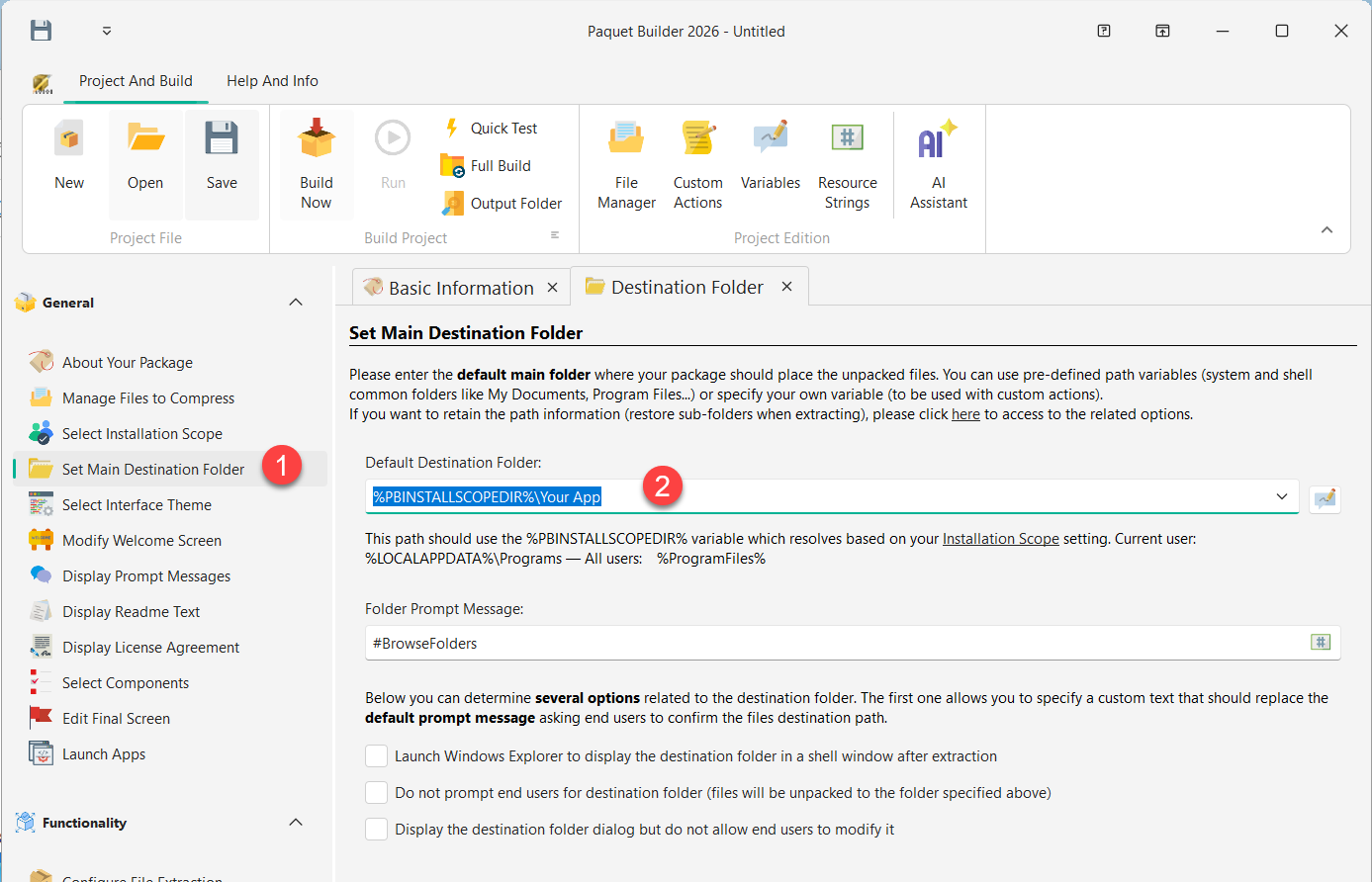
Enter the default path where files should be extracted. If the user is prompted to choose a destination, this path appears pre-filled and most users will accept it as-is.
You can use standard variables to reference system and shell folders. For example:
%PBINSTALLSCOPEDIR%\My ApplicationYou can also retrieve the destination from the Windows Registry using custom actions:
%MYPATH%.%MYPATH% in the “Default Destination Folder” field.Enter a custom message displayed above the folder selection dialog. This field cannot be left blank.
Use a resource string for multilingual support. For example, #BrowseFolders is replaced at runtime with “Please select the destination folder:”.
The user sees the destination folder dialog and can change the path or browse to a different location. This is the default behavior.
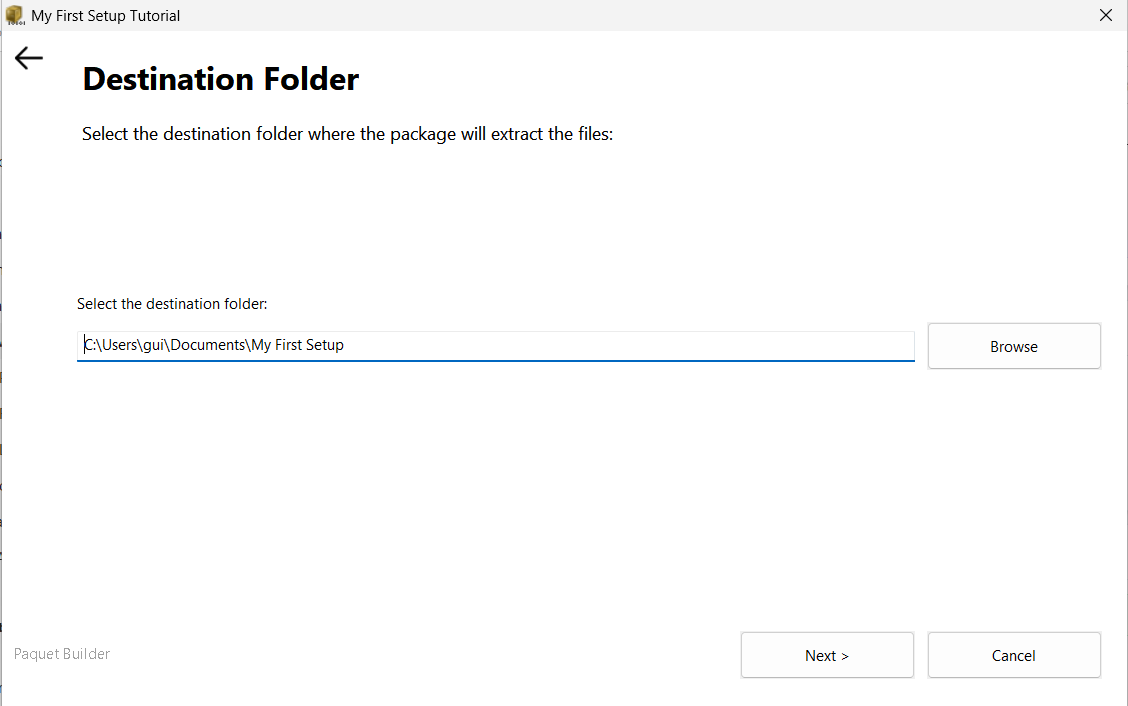
The dialog is skipped entirely. Files are extracted to the default folder without asking the user.
Useful for silent installations, automated deployments, or packages where the destination must not be changed.
The dialog is displayed for informational purposes, but the path field is grayed out. The user can see the destination but cannot modify it.
Useful when you want to inform the user where files will go, without allowing changes.
Launch Windows Explorer after extraction
Opens the destination folder in a Windows Explorer window after successful extraction, so the user can view and interact with the extracted files immediately.