Hide progress monitor
The extraction runs silently in the background with no visible progress indicator.
The Progress Monitor is the dialog shown to end users during file extraction. You can choose its visual style, customize the status text, and optionally hide it entirely for silent packages.
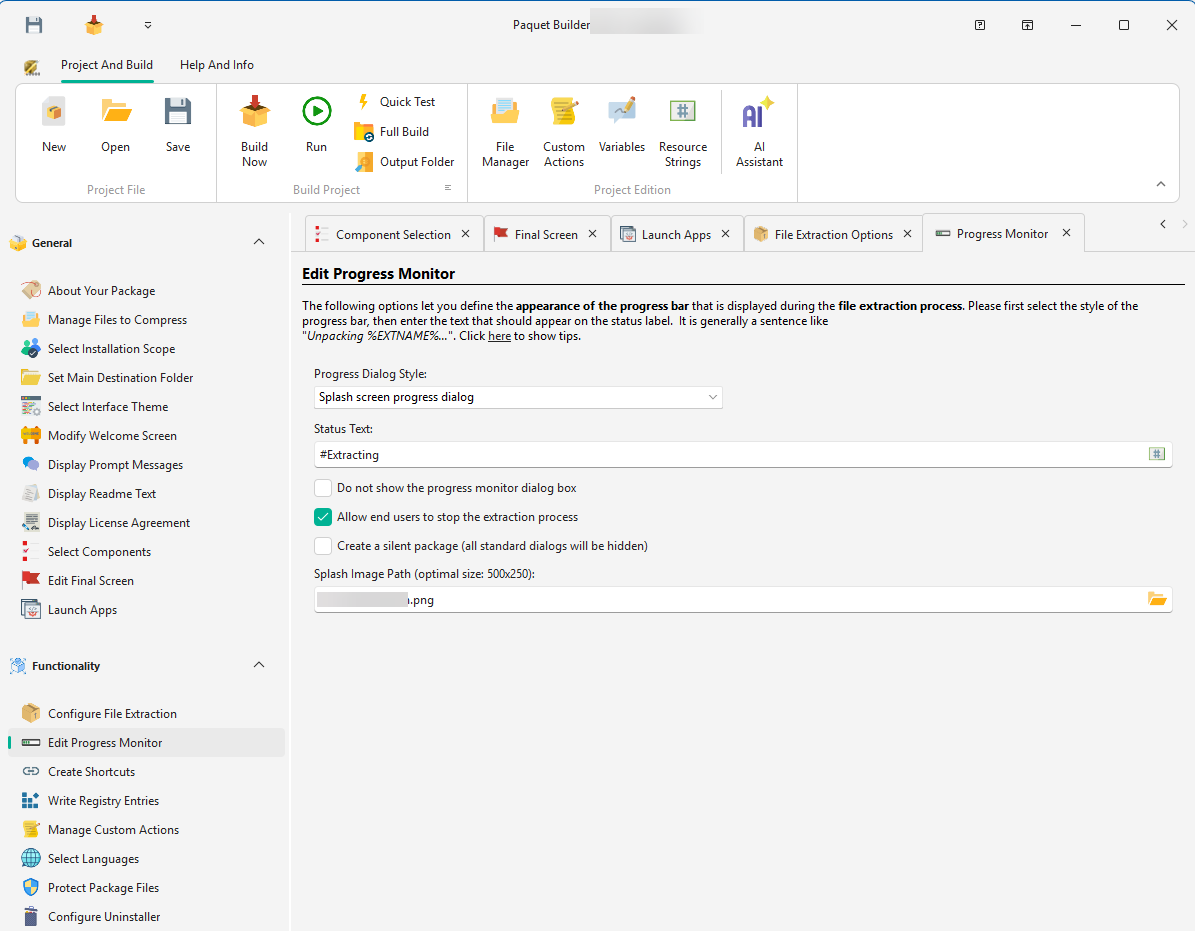
Displays a large progress bar and a custom text message. Works with all interface themes.
A wizard page with an integrated progress bar, matching the look of other wizard screens. Only available when the interface theme is set to Wizard or Modern.
Displays a custom image alongside the progress bar. Specify the image path (PNG or BMP) in the Splash Image Path field.
Recommended size: 500 x 250 pixels (images are automatically resized if needed).
Enter the text displayed on the progress monitor during extraction. Use the %EXTNAME% variable to show the name of the file currently being unpacked.
Extracting %EXTNAME%This displays, for example: “Extracting HESetup.cab” while that file is being extracted.
Hide progress monitor
The extraction runs silently in the background with no visible progress indicator.
Allow users to stop
Adds a Stop button to the progress dialog. If clicked, the user confirms cancellation and the package closes without removing extracted files (no rollback).
Silent package
Hides all standard dialog boxes and extracts files directly to the specified folder. Prompt messages and custom action dialogs are still shown. Use the %SILENT% variable to toggle at runtime.
Starting with Paquet Builder 2026.1, installers and uninstallers recognize the /s and /silent switches natively. When either switch is passed on the command line, the package automatically sets %SILENT% to 1 and activates silent mode; no custom action is required.
Toggle this behavior per project with the Recognize built-in /s and /silent command-line switches to activate silent mode option, enabled by default for new projects. Matching is case-insensitive and uses exact token parsing, so paths containing /s (e.g. /deploydir "D:\silent\backup\") never trigger silent mode by mistake.