Compiled twice
C source files are compiled once for the installer and once for the uninstaller.
Paquet Builder includes a C compiler to generate its EXE stubs, enabling developers to extend package functionality with custom C code and plugins.
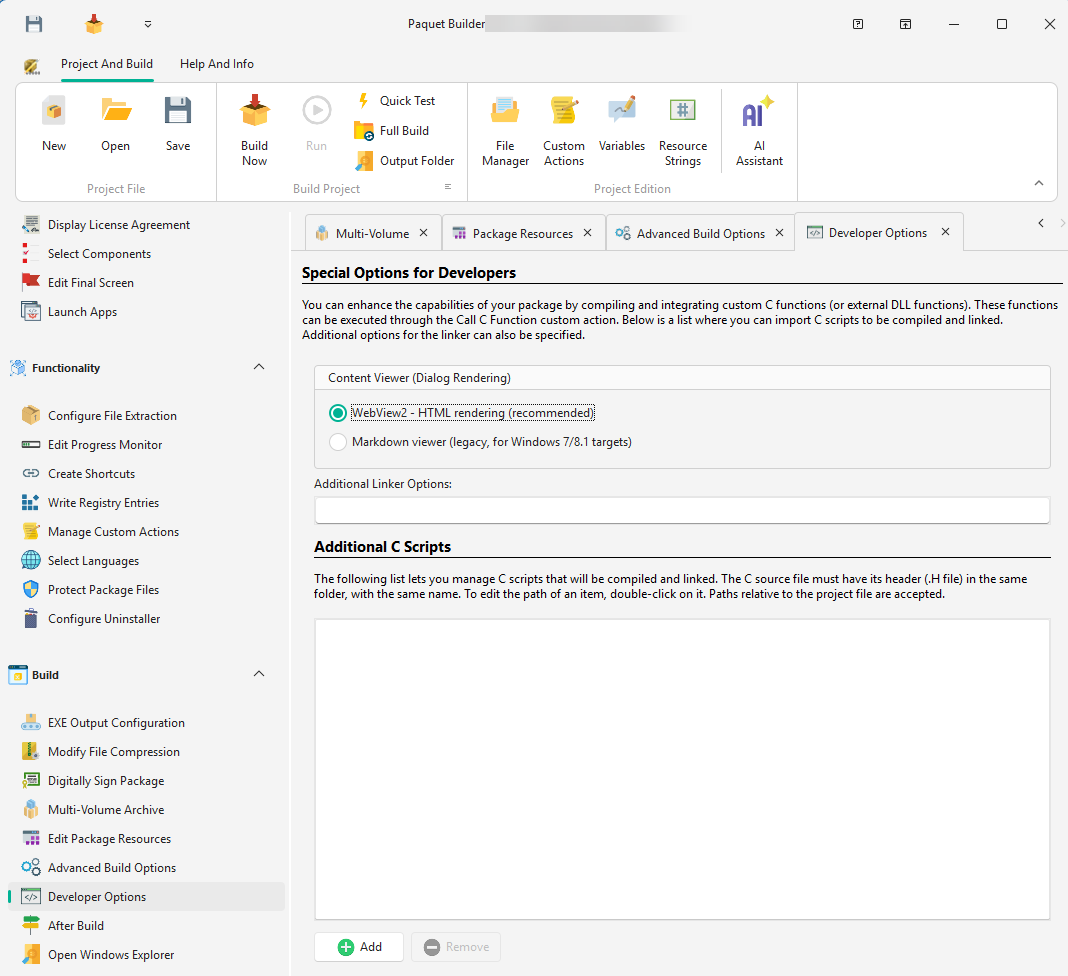
HTML rendering via Microsoft WebView2. Recommended for modern systems, providing full HTML/CSS support for dialog content.
Legacy rendering for Windows 7/8.1 targets. Use only when backward compatibility is required.
Add one or more C source files to your project. They are compiled and linked into the final EXE during package compilation, and their functions can be invoked via Call C Function custom actions.
Compiled twice
C source files are compiled once for the installer and once for the uninstaller.
Header required
Each .c file must have a corresponding .h header file in the same folder.
Linker options
Specify additional linker options to import third-party DLLs. Place .lib files in the Compiler\Lib subfolder.
Include pbcore.h to access built-in functions:
// Set the value of a variableSetVar(const wchar_t *name, const wchar_t *val);
// Get the value of a variableint EvalVarBuf(const wchar_t *str, wchar_t *outBuffer, int outBufferSize);simplehello.c from the customccode subfolder).ShowMyMessage();