Ask User for a Choice
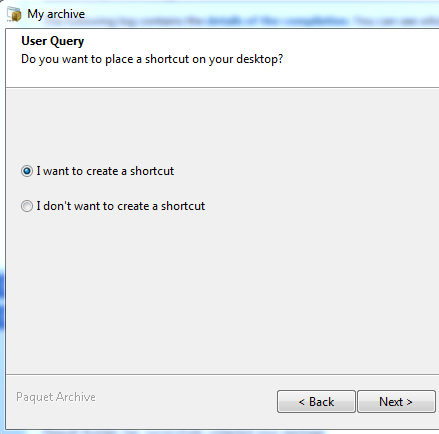
Displays a dialog box that lets you ask end users to select between two options (radio boxes). For instance, if they want to install a shortcut on the desktop. You can also use the result of the question for a conditional if/then/else action.
Properties
Section titled “Properties”| Property Name | Data Type | Description |
|---|---|---|
| Caption | String | The title that appears on the dialog box or in the wizard’s instruction panel. |
| PromptText | String | The text that appears in the title of the question window and asks end users. |
| LabelText | String | This text will be displayed near the radio boxes. |
| YesText | String | The text that appears on the first radio box (for instance, positive answer). |
| NoText | String | The text that appears on the second radio box (for instance, negative answer). |
| ChoiceVariable | VarName | The variable that will store the result of the choice, e.g. %INSTALLIT%. |
Behavior
Section titled “Behavior”The package shows a dialog box displaying the value of “PromptText” (the question) with two radio boxes.
Initial states of the two radio boxes are set according to the value of ChoiceVariable. If the variable mentioned in ChoiceVariable is set to “1”, the first radio box will be checked. Otherwise, it is unchecked and the second one will be checked.
If the end user selects the Cancel button, the package closes.
You can use a goto label statement to check whether end users have entered correct information: click here for an example.