Temporary Bin folder
During compilation, Paquet Builder stores intermediate files in a “Bin” folder. If the output directory is a network share, specify a local folder here to prevent build failures.
This page covers advanced settings that control how Paquet Builder compiles packages and how the package behaves at startup on the end user’s machine.
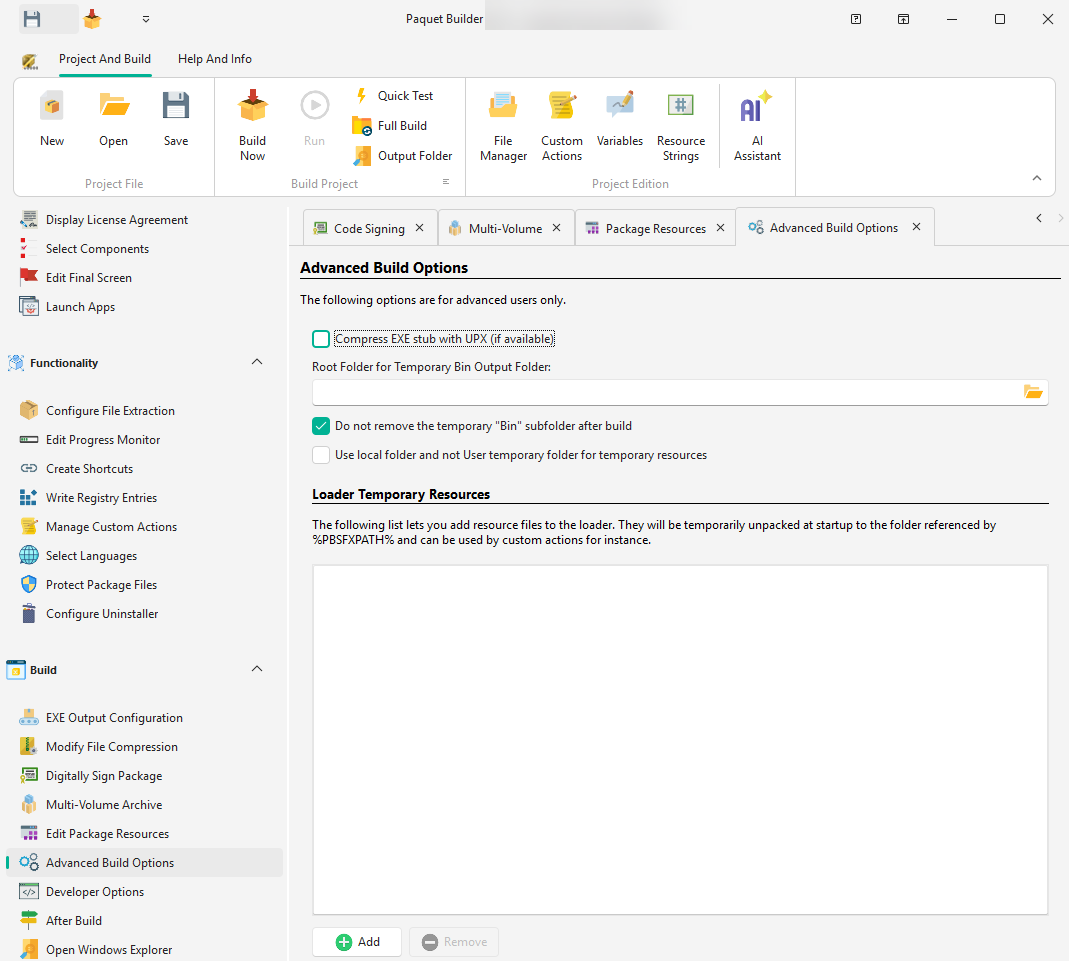
Paquet Builder generates EXE files with small overhead (under 256 KB). You can further reduce it with an executable packer:
UPX is a free executable packer that supports x86, x64, and ARM64 targets. Place the extracted files in the Compiler\UPX subfolder of Paquet Builder.
Temporary Bin folder
During compilation, Paquet Builder stores intermediate files in a “Bin” folder. If the output directory is a network share, specify a local folder here to prevent build failures.
Keep Bin folder
By default, the “Bin” folder is deleted after compilation. Enable this to retain it for debugging.
Local temporary resources
When enabled, runtime temporary resources stay in the same directory as the package (e.g. USB stick, network share) instead of the user’s temp folder. The path is stored in %PBSFXPATH%.
Include additional files in the package’s loader. These are compressed into the EXE overhead and extracted at startup to the temporary folder (accessible via %PBSFXPATH%).
Use this for custom DLL files or resources required by custom actions.