Paquet Builder 2026.3: Modernized Action Editor and Crisp High-DPI Text
Paquet Builder 2026.3 is available now. This is a quality-focused release: the custom action property editor gets a modern overhaul, text rendering on high-DPI displays is fixed, and a crash that could occur when closing the application after using the Help browser is gone. If your maintenance plan is active, it’s a free upgrade.
A Modernized Action Property Editor
The Action Properties Editor is where every custom action gets configured, so any friction there is felt on every project. 2026.3 reworks it:
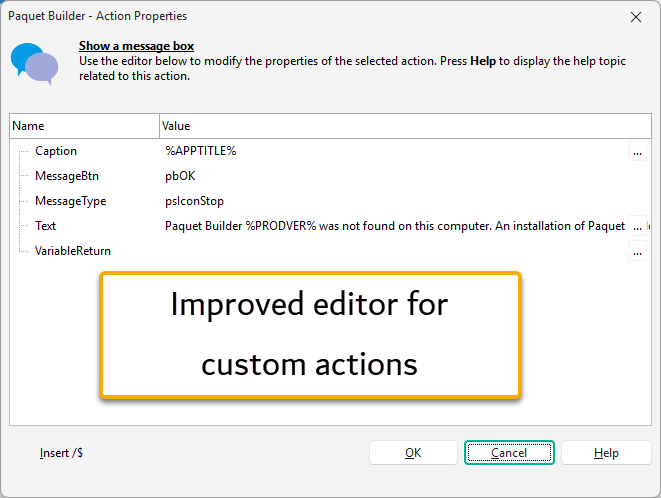
- Native checkboxes for boolean properties. Toggling a flag is now a single click on a real checkbox instead of picking True or False from a dropdown.
- An edit (
…) button on every text field. The expanded value editor, with its toolbar for inserting variables and resource strings, used to be reserved for complex fields. It is now one click away from any text property. - A
Ctrl+Entershortcut opens the value editor from the keyboard while you are typing in a field. - Consistent theming. The editor now follows the active light or dark style instead of keeping its own fixed look.
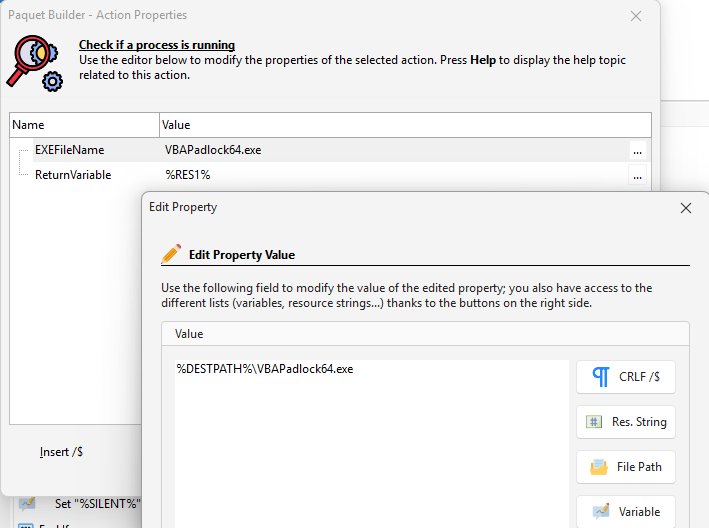
None of this changes what your actions do; it just makes configuring them faster and more predictable.
Crisp Text on High-DPI Displays
On displays scaled above 100% (the 125–200% range typical of modern laptops and 4K monitors), some interface elements could render their text at twice the normal size: hyperlinks, tab captions, File Manager column headers, and tree or list items. 2026.3 fixes the scaling calculation, so the interface now renders consistently across all DPI settings.
No More Crash on Exit After Using the Help Browser
Closing Paquet Builder after a WebView-based window had been used during the session, such as the integrated Help browser, could trigger a crash (access violation) during shutdown. The teardown order of WebView resources has been corrected, and the crash is gone.
Quality-of-Life Improvements
- Improved integrated Help window and other HTML-based screens.
- Internal code improvements to several custom actions.
- Minor improvements throughout the application.
See the full changelog for the complete list of changes.
Upgrade Today
Paquet Builder 2026.3 is a free upgrade for customers with an active maintenance plan. If your maintenance is current, download it from the customer portal; the in-app updater will also offer it on next launch (Help → Check for Updates). If your maintenance has lapsed, renew it to unlock 2026.3 and every future release. New to Paquet Builder? Grab the free trial from the download page.