Paquet Builder 2026.1: Critical Fixes and Native Command-Line Parsing
Paquet Builder 2026.1 resolves two regressions introduced in 2026.0 and promotes the /LCID and /s command-line switches to first-class native features of the installer and uninstaller runtime.
If you shipped an installer built with 2026.0, we recommend rebuilding with 2026.1 to resolve these issues:
- Multi-volume extraction failure. A regression caused
error -5 (can't open archive)when extracting multi-volume installers. The archive chain now opens reliably across all volume sizes. - Random Access Violation crashes in 64-bit installers. A format-string injection in the runtime caused sporadic AV crashes at the tail end of installation, typically when writing uninstall entries or component registry values. The runtime write paths are now covered by an additional hardening pass.
Rebuild affected packages and redeploy; no project changes are required.
Native /LCID and /s Command-Line Switches
Two switches that previously required custom action templates are now parsed natively by the installer and uninstaller runtime:
/LCID <num>selects a project language at launch, directly by LCID. Multi-language projects no longer need thelanguage-from-command-line.xmlcustom action template. The runtime reads the argument before any UI is shown./sand/silentare now parsed with exact token matching in both installer and uninstaller. No more substring false positives from arguments that happen to containsorsilent. Native silent mode is enabled by default and can be toggled from the Progress Monitor settings.
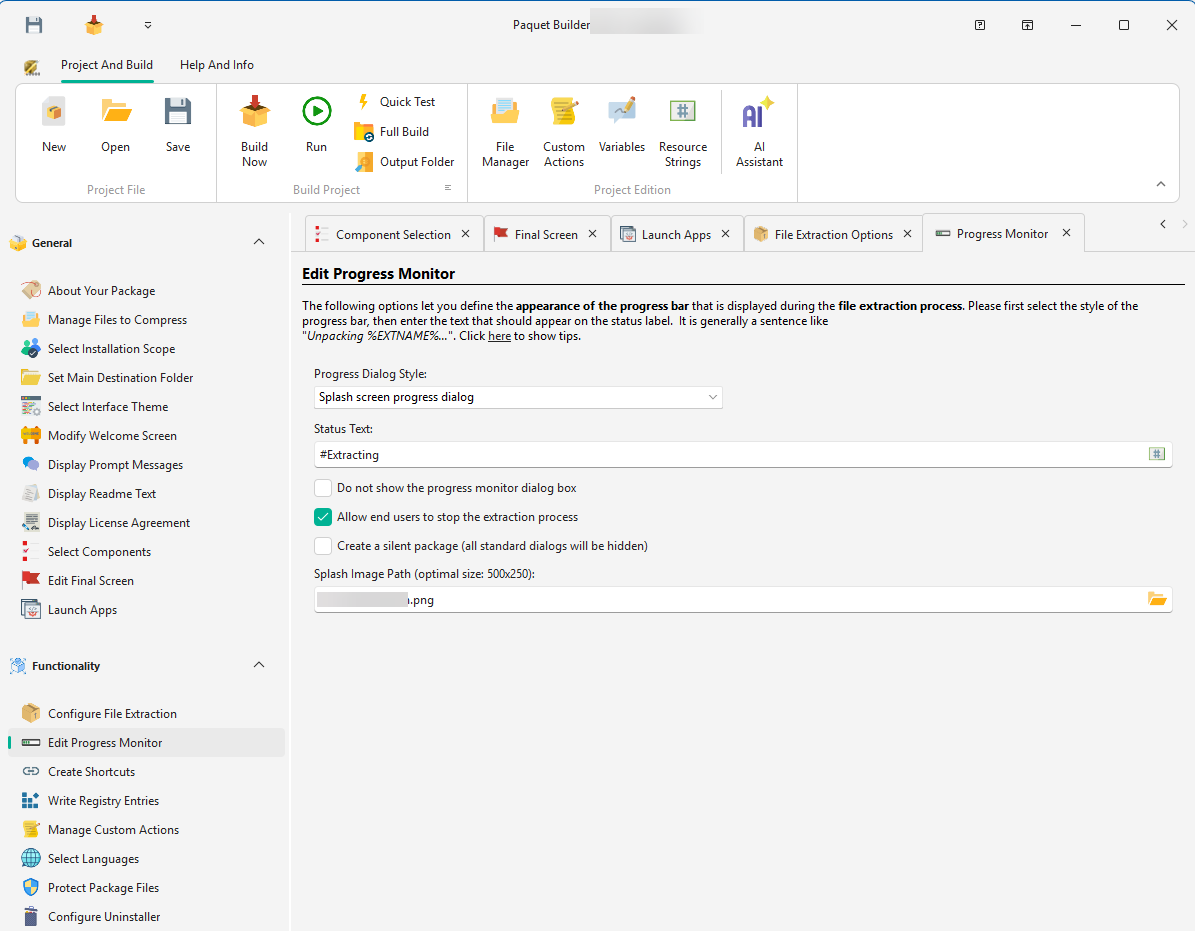
Existing projects using the legacy custom action templates continue to work. The native parser runs first, so you can migrate at your own pace. No changes needed to existing /s invocations in SCCM, Intune, PowerShell, or Group Policy scripts.
Pre-Compile Component Validation
When a shortcut or registry entry references a component that doesn’t exist (typo, renamed, or deleted), Paquet Builder 2026.1 now reports the full list of bad references before starting code generation. Previously, the same error would only surface several minutes into the build, after code generation had already completed, forcing you to fix one reference, rebuild, and discover the next.
Richer Runtime Crash Diagnostics
When an installer encounters an unexpected runtime exception, the error dialog now includes:
- The exception code (e.g.
0xC0000005) - The resolved fault address with module and offset
- A stack trace of the calling frames
This makes it much easier to triage unexpected behavior in field reports without attaching a debugger. If you have a support case open with us, include the full dialog text. It’s now immediately actionable.
Also in 2026.1
- A new “Don’t Show Again” button in the Additional Packages startup dialog so optional add-ons stop reappearing every session until a newer version is released.
- Fixed the empty “Available Scripts” dropdown in the Call C Function custom action editor when the Developer Options page had not been opened yet in the session.
- Fixed hyperlinks in installer screens (License Agreement, WebView2 and Markdown content) opening a blank Edge window under UAC Over-The-Shoulder elevation.
See the full changelog for the complete list of changes.
Upgrade Today
Paquet Builder 2026.1 is a free update for every 2026.0 user, with no maintenance check and no license changes. Download it from the customer portal if you have an active license, or grab the trial from the download page to evaluate it against your existing projects.
The in-app updater will also surface 2026.1 on next launch: Help → Check for Updates.